

 I was invited to beta test Flying Meat‘s Acorn and provide some feedbacks and I have to say I was pleasantly surprised at the interface direction Acorn Developer Gus Mueller took it to. It is very refreshing to see a different approach to image editor interface by combining all key tools into one palette window. On paper it may sound like a stupid idea but it’s actually a good design idea.
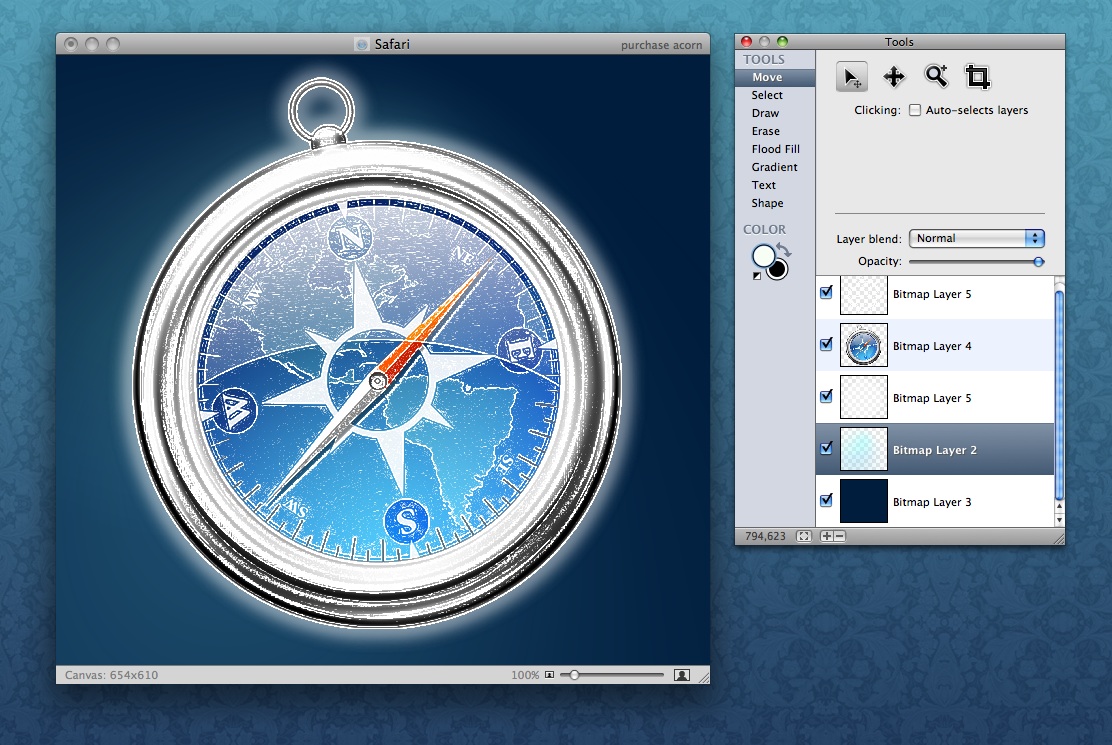
Two things I love the most about Acorn are the selection look (not “Marching Ants” like in Photoshop) and Apply Filters interface in Automator style.
Of course it is not intended to be a Photoshop replacement but it sure is nice to have a nicely designed image editor app that I can happily recommend to anyone who doesn’t need the power of Photoshop.


Nice. The selection was also the first of the strange things I recognised. The palette is very handy. All I miss are more options to export. An PSD export, Web-JPGs and GIFs, JPGs at least with option to adjust quality!
Anyway, great that there are still people to make alternatives to Photoshop.
This looks like a really nice tool — I really like the way it focuses on doing a specific set of things well with the goal of keeping things simple.
Another reason to get back on Mac!
Hope the move went well, is the weather better out there?
Very nice looking. Don’t like the main icon that much though, you should do it Adam ;)
I wanted to drop you an email, but I guess I’ll settle for a comment here.
I must say I’m a great admirer of your work. For instance, I love the fact that when you display an icon, you make a nice little background and such which really gives it a sense of design. Amazing work.