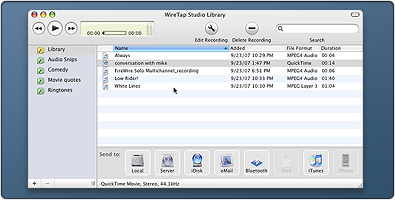
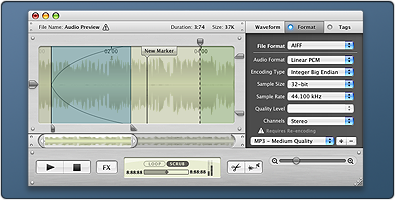
WireTap Anywhere is a suite of components that lets you take the audio output from any Mac application or hardware input device and bring it into your favorite audio recording application.
Marcus Conge of Ambrosia Software did a great work on additional graphics, logo and everything else.
The goal of web publishing is to keep it as simple as possible; everything in one window sheet and avoid using tabs or any other design that would hide steps from users. Here’s a screencast of Web Publishing interface in motion (flash video, no audio):
Item Selection
Comparison of Old, Prototype and Final item selection appearance. While we like spotlight with case highlight one the most, it ultimately didn’t work out as well as we hope due to different item sizes and non resolution independent. It’s not easy to replicate the spotlight effect purely in code so we went with something more lightweight and flexible for every types of item. It works a lot better when in use.
Item Info Panel
Some of you may have seen a different UI for info pane from several websites who provided early look at Delicious Library 2 such as Theocacao, this interface didn’t make it to final build for various reasons. It was inspired by Leopard’s iCal but I believe our implementation are much better. It wasn’t ready for release though and might will come in the future.
I usually don’t do any kinds of custom templates since they’re very limiting on my creativity (“create something that everyone would like” aka standard plain version.) However, with the unlimited freedom given for Delicious Library 2 templates, I’m excited to do something that visually match the flashiness of DL2.
I’ve been working with Delicious Monster since late 2006 for various things and this first post is a brief preview of several icons & graphics I’ve done for Delicious Library 2 which came out today.
Interface Design for Ambrosia Software‘s new baby WireTap Studio. Although my icon work was minimal, most of my focus went into designing the interface for WireTap Studio including the main controller with drawer. Marcus Conge of Ambrosia Software did an excellent job on new WTS application icon.
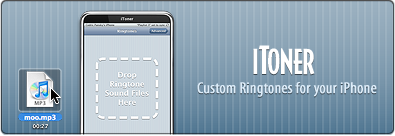
Designed the interface for Ambrosia Software‘s iToner based on iPhone’s interface. One of the nice reasons for using iPhone interface is it’ll stand out as a real iPhone app that’ll transfer the ringtones the clean way, not ugly hacks (ie: jailbreak, etc.)
I’m not done with iToner interface design though, I will continue to tweak it and add more graphics to make user experience as smooth as possible.
“iToner enables you to quickly transfer custom ringtones for your iPhone – without modifying, hacking or having to reset your iPhone. Simply drag and drop your MP3 or AAC audio files on iToner’s window, click the Sync button, and you’re done.”
Last tuesday, Lucas Newman (developer of Delicious Library) and I built the entire game within three days for C-4 Iron Coder and we won 2nd place next to Video Conference for iPhone.
Download link and brief installation instructions is at Lights Off website.
I’ve always loved Lights Out game from Tiger Electronic and iPhone with touch screen couldn’t be any more perfect for Lights Out-type game. This game is freeware and you should use it at your own risk. I’m not going to provide detailed installation instructions here as it’s fairly complex but I will update this post with a link when there is one.
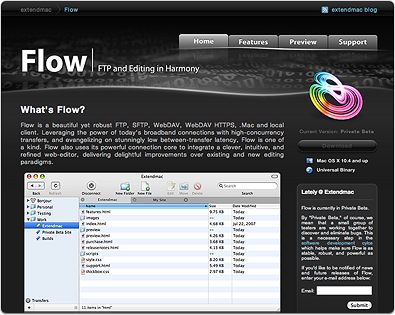
This is one of the side projects I’ve been working on and you can view it at www.extendmac.com/flow (May 2008, note: current flow website is different.) Flow is an upcoming FTP application for Mac OS X (currently in closed private beta.) When Brian of Extendmac Software asked me if I could design the website and icons, I was definitely interested as I admire Flow a lot for its simplicity and beautiful interface but I could only do website design and not app icon as I was spreading too thin with other projects so I got another icon designer, Josh Pyles of Pixelmatrix Design, to join the project. While the icon he delivered was perfectly fine, Brian wanted something truly unique so we got another icon designer, Sebastiaan de With, to do the icon and the result is what you see right now.
I also did some of the app toolbar icons and Sebastiaan did a simply fantastic job on the application icon. You can read about his work progress on the icon at his blog, Cocoia Blog.
This is one of the projects I truly enjoyed doing along with great people like Brian and Sebastiaan.